WordPress powers millions of business websites because it offers flexibility, scalability, and a vast ecosystem of themes and plugins. However, simply having a well-designed WordPress website does not guarantee a steady flow of enquiries or booked consultation calls. Many businesses receive traffic through search engines, social media, and advertising campaigns but still struggle to convert visitors into qualified leads. Technical issues, poor messaging, slow performance, ineffective calls to action, and confusing user journeys often create hidden barriers that discourage potential customers. If your wordpress site not generating leads, the problem usually extends beyond appearance alone. Understanding the most common conversion obstacles and applying targeted improvements can transform a WordPress website from an online brochure into a reliable lead generation tool that consistently supports business growth.
Why WordPress Websites Lose Potential Leads
Traffic Does Not Guarantee Conversions
A website may attract thousands of visitors each month without generating meaningful business enquiries. Visitors arrive with specific expectations, and if they cannot quickly understand your services or find the next step, they often leave without contacting you. High traffic combined with low conversions usually indicates problems within the website experience rather than the marketing campaign itself.
Hidden Conversion Problems
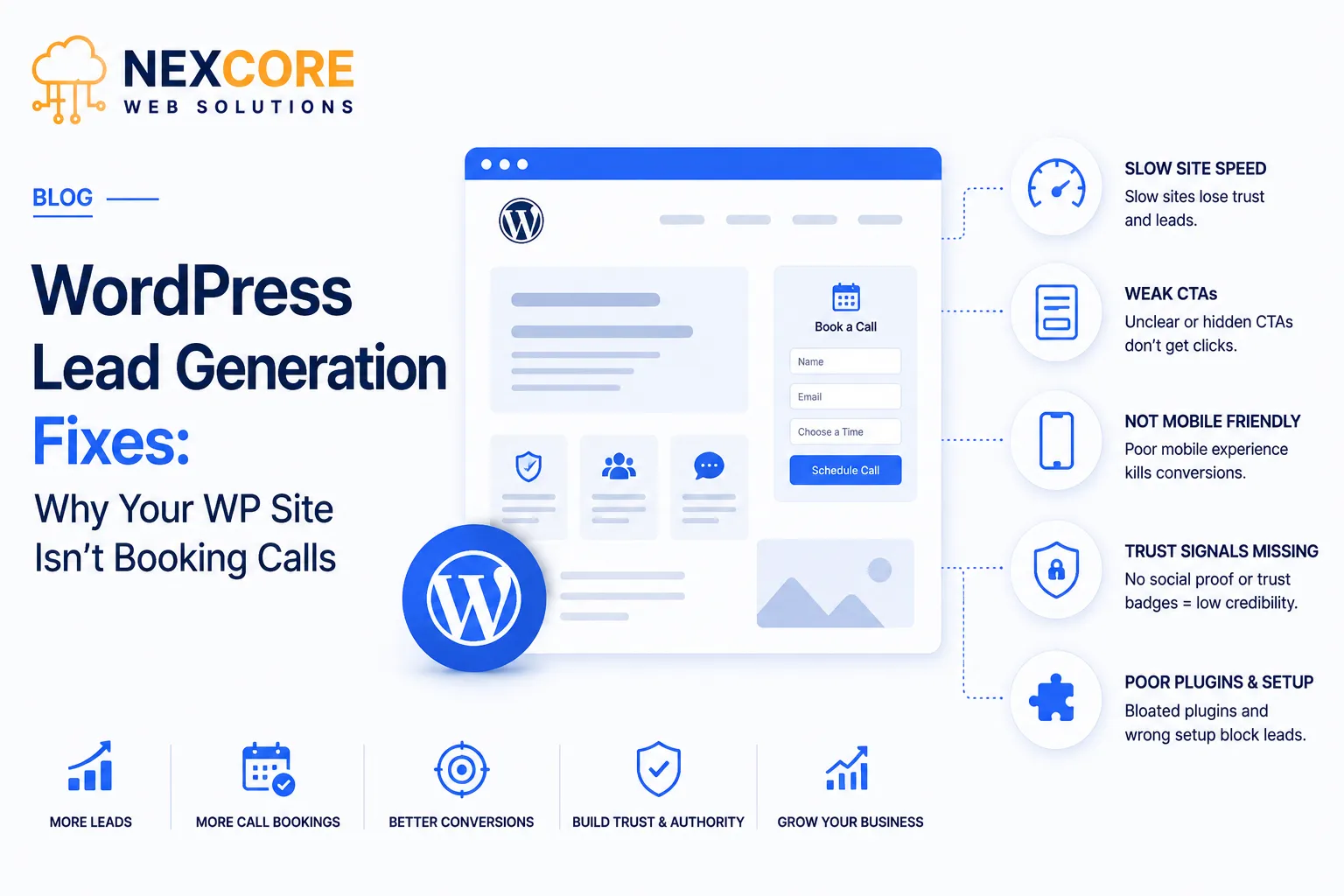
Many business owners focus primarily on increasing website traffic while overlooking technical and usability issues that reduce conversions. Understanding why WordPress websites fail to convert requires examining page speed, messaging, navigation, contact forms, mobile usability, and trust signals together. Small improvements across these areas often produce significant increases in booked consultation calls.
Improve Website Speed
Optimize Performance
Website speed strongly influences visitor behavior and conversion rates. Large images, excessive plugins, poorly optimized themes, and slow hosting environments frequently delay page loading. Visitors rarely wait for slow websites, particularly when researching business services. Optimizing images, reducing unnecessary scripts, enabling caching, and choosing reliable hosting providers improve overall performance.
Monitor Core Web Vitals
Google’s Core Web Vitals evaluate loading speed, visual stability, and page responsiveness. Poor scores create frustrating browsing experiences that increase bounce rates before visitors even reach important service information. Regular performance testing helps identify technical bottlenecks affecting conversions. Faster websites encourage visitors to remain engaged and continue exploring available services.
Strengthen Website Messaging
Clarify Your Value Proposition
Visitors should understand what your business offers within the first few seconds of arriving on the homepage. Generic headlines and vague service descriptions create uncertainty that discourages enquiries. Instead, explain who you help, what problems you solve, and the business outcomes customers can expect. Clear messaging builds confidence immediately.
Focus on Customer Needs
Many websites spend too much time discussing company history instead of addressing customer challenges. Prospective clients want solutions that improve efficiency, reduce costs, increase revenue, or solve operational problems. Messaging should consistently demonstrate how your services create measurable value. Customer-focused communication increases engagement and enquiry rates.
Improve Calls to Action
Make the Next Step Obvious
Every important page should guide visitors toward a clear action. Buttons inviting users to schedule consultations, request proposals, or contact your team should remain visible without becoming overwhelming. Effective calls to action explain what visitors receive after submitting their information. Clear expectations reduce hesitation and encourage more enquiries.
Simplify Contact Forms
Long forms requesting excessive information often discourage visitors from completing enquiries. Ask only for essential details during the initial conversation while collecting additional information later if needed. Shorter forms improve completion rates without reducing lead quality. Simplicity makes contacting your business easier.
Optimize Mobile Experience
Responsive Design
A significant percentage of business website traffic now comes from mobile devices. Visitors should experience consistent layouts, readable text, and intuitive navigation regardless of screen size. Responsive design ensures service pages, contact forms, and booking interfaces remain accessible across smartphones and tablets. Better mobile usability directly supports higher conversion rates.
Easy Navigation
Complex menus and cluttered page layouts make it difficult for visitors to locate important information. Navigation should remain simple, predictable, and organized logically according to customer priorities. Clear pathways encourage users to explore services rather than abandoning the website. Better navigation improves both usability and lead generation.
Build Trust
Display Social Proof
Potential clients often seek reassurance before contacting unfamiliar businesses. Testimonials, customer reviews, certifications, case studies, and industry awards help establish credibility. Evidence demonstrating successful client outcomes reduces uncertainty during purchasing decisions. Trust signals encourage more visitors to schedule consultation calls.
Maintain Website Security
Visitors hesitate to submit personal information through websites displaying browser security warnings or outdated software. Keeping WordPress core files, themes, and plugins updated improves both security and reliability. HTTPS encryption protects user information while strengthening business credibility. Secure websites inspire greater customer confidence.
Measure and Improve
Track Conversion Data
Businesses should monitor enquiry forms, phone calls, appointment bookings, and user interactions through reliable analytics. Conversion tracking identifies which pages generate enquiries and where visitors abandon the process. Accurate performance data enables continuous optimization based on measurable customer behavior rather than assumptions.
Test Continuously
Website optimization should remain an ongoing process rather than a one-time project. Testing headlines, page layouts, button placements, contact forms, and booking workflows provides valuable insights into visitor preferences. Small incremental improvements often produce substantial gains over time. Continuous refinement supports long-term lead generation success.
Conclusion
A WordPress website should function as an active business development tool rather than simply presenting information online. If your wordpress site not generating leads, the underlying causes often involve technical performance, messaging clarity, mobile usability, weak calls to action, and missing trust signals rather than traffic volume alone. By improving website speed, simplifying customer journeys, strengthening value propositions, optimizing forms, and monitoring user behavior, businesses create experiences that encourage visitors to schedule consultation calls instead of leaving without taking action. Consistent evaluation and ongoing optimization ensure a WordPress website continues generating qualified enquiries while supporting sustainable business growth in an increasingly competitive digital marketplace.
FAQs
1. Why is my WordPress site not generating leads?
A WordPress website may struggle to generate leads because of slow loading pages, unclear messaging, weak calls to action, poor mobile usability, broken contact forms, or insufficient trust signals. Reviewing both technical performance and user experience helps identify the factors preventing visitors from becoming qualified business enquiries.
2. How can I improve lead generation on my WordPress website?
Improving lead generation involves optimizing website speed, strengthening your value proposition, simplifying navigation, improving calls to action, shortening contact forms, adding customer testimonials, ensuring mobile responsiveness, and tracking visitor behavior. These improvements reduce friction throughout the customer journey and encourage more enquiries.
3. Does website speed affect consultation bookings?
Yes. Slow-loading pages often increase bounce rates because visitors expect websites to respond quickly. Faster websites improve user experience, encourage visitors to explore service pages, and increase the likelihood of completing enquiry forms or booking consultation calls. Website performance directly influences conversion rates.
4. Which WordPress features help increase conversions?
Helpful WordPress features include responsive themes, optimized contact forms, caching plugins, image optimization tools, analytics integration, SSL security, booking systems, customer testimonials, and clear call-to-action sections. Combined effectively, these features improve usability while supporting stronger lead generation.
5. How often should I optimize my WordPress website?
WordPress websites should be reviewed regularly, particularly after content updates, plugin installations, design changes, or marketing campaigns. Ongoing monitoring of performance, security, SEO, and conversion data helps identify new optimization opportunities while ensuring the website continues supporting business growth and lead generation objectives.