PHP form handling is an essential part of developing interactive websites and dynamic web applications. Forms allow users to submit information such as registration details, login credentials, contact messages, and payment-related data. PHP receives this information from HTML forms, processes the submitted values, and communicates with databases or other application components. However, handling user input requires more than simply retrieving submitted fields. Developers must understand HTTP methods, secure data transmission, input validation, sanitization, and output escaping to protect applications against common security vulnerabilities. Learning these techniques helps create reliable forms that process information correctly while reducing risks such as SQL injection, cross-site scripting, and unauthorized data manipulation.
Understanding PHP Form Handling
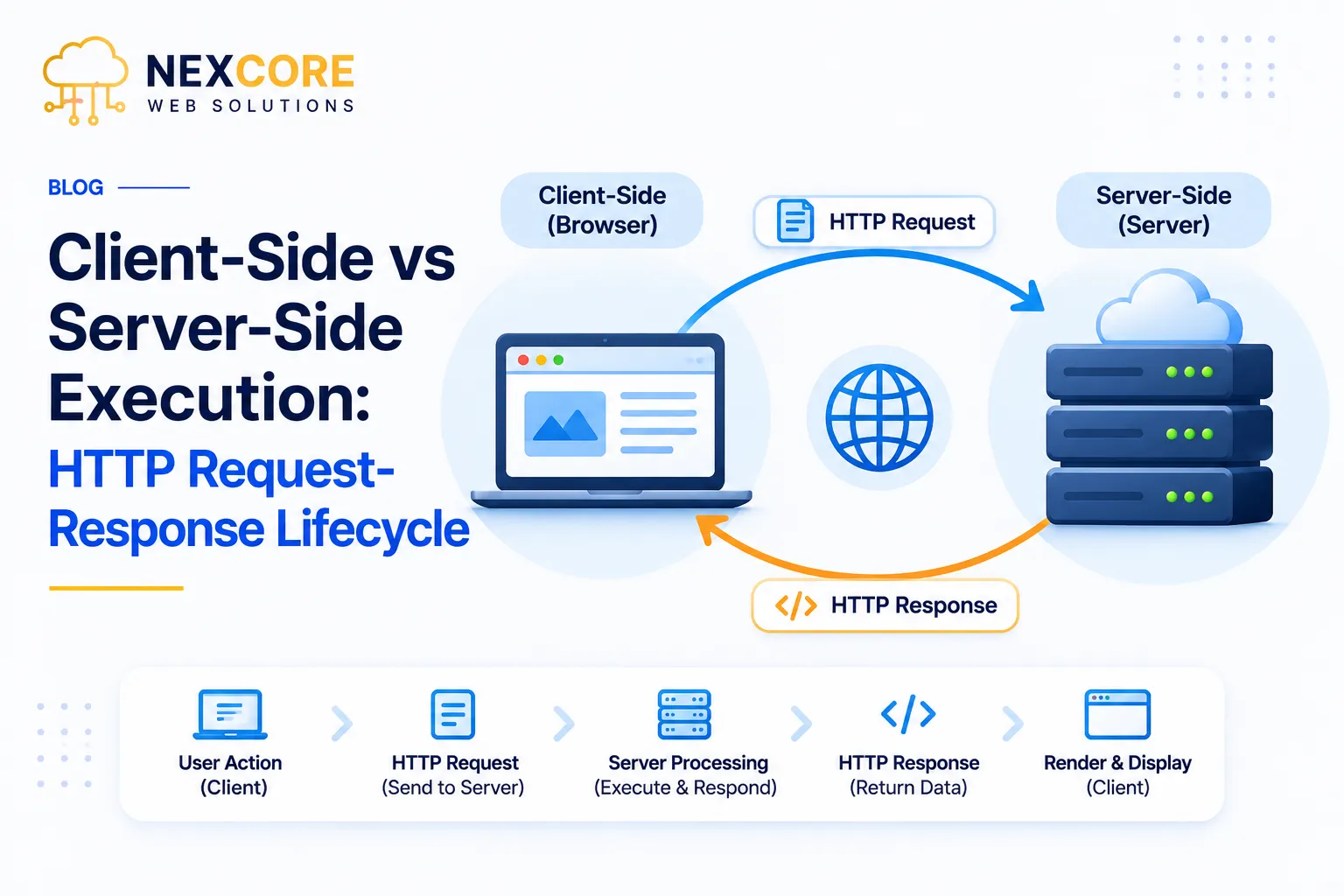
PHP form handling connects an HTML form with server-side processing logic. An HTML form collects information through elements such as text fields, email inputs, passwords, checkboxes, and submit buttons. When a user submits the form, the browser sends the entered values to a specified server endpoint. PHP receives the submitted data and makes it available through superglobal arrays.
For example, a registration form may collect a user’s name, email address, and password. PHP can retrieve these values, validate their formats, and store the appropriate information in a database. The application should reject invalid submissions rather than trusting everything received from the browser. This server-side processing is important because users can modify form fields or send requests without using the original webpage.
Understanding GET and POST Methods
HTML forms commonly use two HTTP methods: GET and POST. Both transfer information between a browser and a server, but they handle submitted data differently. Selecting the correct method depends on the purpose of the form and the sensitivity of its information. Developers should also remember that neither method automatically encrypts transmitted data.
Using the GET Method
The GET method sends form parameters as part of the URL query string. It is suitable for operations such as searching products, filtering records, and navigating between pages with specific parameters. For example, a search form might send a keyword through a URL such as search.php?keyword=laptop. PHP retrieves this value using the $_GET superglobal array.
<?php
$keyword = $_GET['keyword'] ?? '';

echo htmlspecialchars($keyword, ENT_QUOTES, 'UTF-8');
?>
GET requests are useful because their URLs can be bookmarked, shared, and indexed where appropriate. However, sensitive information should never be submitted through this method because query parameters can appear in browser history, server logs, and shared links. GET requests should generally retrieve information rather than perform actions that change application data.
Using the POST Method
The POST method sends submitted form data within the HTTP request body instead of placing it in the URL. It is commonly used for registration, login, contact forms, and operations that create or update records. PHP accesses these values through the $_POST superglobal array. The following example demonstrates a basic POST form:
<form method="POST" action="process.php">
    <input type="text" name="username" required>
    <input type="email" name="email" required>
    <button type="submit">Submit</button>
</form>
The receiving PHP script can process the submitted values after checking the request method. POST keeps form values out of the URL, but it does not encrypt them automatically. Developers must use HTTPS to protect information while it travels between the browser and server. Sensitive values should also be handled carefully in application logs and database storage.
Input Validation and Sanitization in PHP
Input validation and sanitization are important security practices, but they serve different purposes. Validation checks whether submitted information follows the application’s expected rules, such as a valid email format or an acceptable age range. Sanitization transforms input by removing or encoding unwanted characters according to a specific requirement. Neither technique should replace the other, and developers should avoid assuming that sanitized data is automatically safe in every context.
Validating User Input
PHP provides functions such as filter_var() and filter_input() for validating common input types. For example, an email address can be checked using the email validation filter. If validation fails, the application should display an appropriate error instead of processing the value.
<?php
$email = $_POST['email'] ?? '';

if (filter_var($email, FILTER_VALIDATE_EMAIL)) {
    echo "Valid email address";
} else {
    echo "Please enter a valid email";
}
?>
Validation rules should match the actual requirements of the application. A username might need a specific length and character set, while a phone number may require a country-specific format. Developers should perform validation on the server even when HTML attributes such as required and type="email" are present. Browser-side validation improves usability but can be bypassed.
Sanitizing and Escaping Output
PHP offers filtering functions for transforming input, but escaping should be performed according to where data will appear. For example, htmlspecialchars() converts special HTML characters into entities, reducing the risk of cross-site scripting when displaying untrusted text inside HTML. Developers should not rely on HTML escaping as a universal solution for JavaScript, CSS, or URL contexts. Each output context requires an appropriate encoding strategy.
<?php
$name = $_POST['name'] ?? '';

$safeName = htmlspecialchars(
    $name,
    ENT_QUOTES,
    'UTF-8'
);

echo "Welcome, " . $safeName;
?>
This example safely displays the submitted name in an HTML context. It is important to store valid application data in an appropriate form rather than permanently applying HTML escaping during database insertion. Escape the value when displaying it, using the encoding suitable for that output location.
Secure Database Operations and Form Processing
When PHP forms interact with databases, developers should use prepared statements instead of combining user input directly with SQL queries. Prepared statements separate SQL instructions from submitted values, helping prevent SQL injection attacks. PHP’s PDO extension supports parameterized queries and provides a consistent database access interface. Applications should also use database accounts with only the permissions they actually require.
$stmt = $pdo->prepare(
    "INSERT INTO users (name, email) VALUES (?, ?)"
);

$stmt->execute([$name, $email]);
Additional protections are necessary for sensitive forms. CSRF tokens help prevent unauthorized websites from submitting requests on behalf of authenticated users, while secure session settings protect login-related workflows. Passwords should be stored using password_hash() and verified with password_verify(), never as plain text. Together, these practices create a stronger foundation for secure PHP form processing.
Conclusion
PHP form handling connects user interactions with server-side application logic, making it a fundamental skill for web developers. Understanding the differences between GET and POST helps determine how information should be submitted, while validation and sanitization improve data quality and security. Developers should also use context-specific output escaping, HTTPS, prepared database statements, and CSRF protection to reduce common vulnerabilities. No single function can guarantee complete security, so form processing should follow a layered approach. By applying these practices consistently, developers can build PHP applications that handle user information reliably and protect both application data and website visitors.
Frequently Asked Questions
1. What is PHP form handling?
PHP form handling is the process of receiving and processing information submitted through HTML forms. PHP retrieves submitted values using superglobal arrays such as $_GET and $_POST. Developers can validate the information, perform application logic, and store appropriate records in databases. It is commonly used for registration, login, contact forms, and search functionality.
2. What is the difference between GET and POST in PHP?
GET sends form parameters through the URL query string, making it suitable for searches and filtering operations. POST sends submitted values within the HTTP request body and is commonly used for registration and data modification. Neither method provides encryption by itself. HTTPS is necessary to protect information during transmission between browsers and servers.
3. Why is input sanitization important in PHP?
Input sanitization helps transform submitted values according to application requirements and reduces the risk of processing unwanted data. However, sanitization alone cannot prevent every security vulnerability. Developers should validate inputs, use prepared statements for database operations, and apply context-specific output escaping. These combined practices help protect applications from common attacks such as SQL injection and cross-site scripting.
4. How can PHP prevent SQL injection attacks?
PHP applications can prevent SQL injection by using prepared statements with parameterized queries instead of directly inserting user input into SQL strings. PDO and MySQLi both support this approach. Developers should also validate incoming data and restrict database permissions. Escaping strings manually is not a reliable replacement for properly implemented prepared statements.
5. Does POST make PHP form submissions secure?
No, POST does not automatically make form submissions secure. It places submitted values in the HTTP request body rather than the URL, but the information can still be intercepted if the connection is not protected. Developers should use HTTPS, validate submitted data, implement CSRF protection, and handle sensitive information carefully to create secure form-processing workflows.