
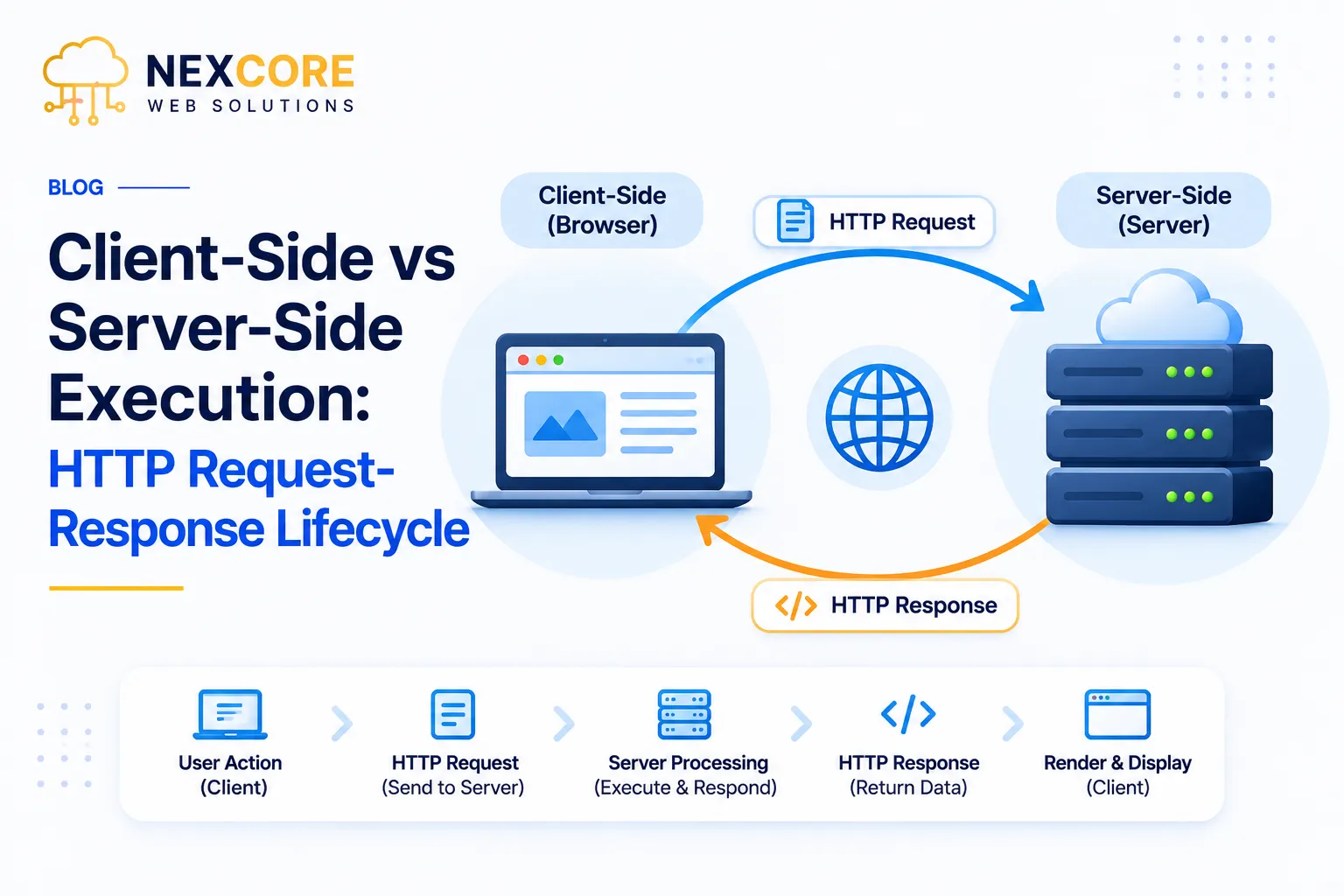
Every time someone opens a website, searches for information, submits a form, or makes an online purchase, a series of actions takes place behind the screen. Some of these actions happen directly inside the user’s browser, while others are processed on remote servers. This division between client-side and server-side execution forms the foundation of modern web applications. Understanding how these environments work together also makes the HTTP request-response lifecycle easier to understand. Developers who know where code runs and how data moves between browsers and servers can build faster, more secure, and more reliable applications. This article explains the differences between client-side and server-side execution, follows the journey of an HTTP request, and shows how both sides work together to deliver a complete web experience.
What Is Client-Side Execution?
Client-side execution refers to code that runs on the user’s device, usually inside a web browser. HTML provides the structure of a page, CSS controls its presentation, and JavaScript adds interactive behavior. When a browser receives these resources, it processes them locally and displays the resulting interface to the user. This allows many interactions to happen without contacting the server every time something changes.
For example, a navigation menu can open or close instantly using JavaScript running in the browser. A form can also check whether required fields are empty before sending data to the server. Modern frameworks such as React, Vue, and Angular use extensive client-side execution to create dynamic user interfaces. However, code running on the client should never be trusted to protect sensitive data because users can inspect or modify browser-side code.
What Is Server-Side Execution?
Server-side execution occurs on a remote computer that hosts an application and handles requests from clients. The server can run languages and platforms such as PHP, Node.js, Python, Java, or .NET. It performs tasks that require protected resources, including database operations, user authentication, payment processing, and business logic. The server then sends an appropriate response back to the browser.
Consider a user logging into an online account. The browser collects the username and password and sends them securely to the server. Server-side code checks the credentials against stored data and determines whether authentication should succeed. The response may then create a secure session or return an error, while sensitive database details remain hidden from the user’s device.
Understanding the HTTP Request-Response Lifecycle
Step One: The Browser Initiates a Request
The HTTP lifecycle begins when a browser needs a resource from a server. This may happen after a user enters a website address, clicks a link, submits a form, or triggers an action through JavaScript. The browser creates an HTTP request containing information about the desired resource and the type of operation being performed. Common HTTP methods include GET for retrieving information and POST for sending new data to a server.
Before the request reaches the application, the browser must identify where to send it. Domain Name System services help translate a human-readable domain name into an IP address. The browser then establishes a network connection with the appropriate server, often using HTTPS to encrypt communication. Once the connection is ready, the HTTP request can begin its journey through the web infrastructure.
Step Two: The Server Processes the Request
A request may first pass through components such as a content delivery network, firewall, load balancer, or web server. These systems can improve security, distribute traffic, and route requests to the correct application. The application then examines the request URL, HTTP method, headers, cookies, and any submitted data. Based on this information, server-side code determines which action should be performed.
A database may be involved if the application needs to retrieve or update stored information. For example, an e-commerce website may check product availability before allowing a customer to complete an order. The server can apply business rules, verify permissions, and prepare the required data before generating a response. This centralized processing helps protect sensitive operations from direct exposure to the client.
Step Three: The Server Returns a Response
After processing is complete, the server sends an HTTP response back to the client. The response includes a status code that indicates the result, such as 200 for a successful request or 404 when a resource cannot be found. It may also contain headers that provide instructions about caching, security, cookies, and the type of content being delivered. The response body contains the actual content, which could be HTML, JSON, an image, or another resource.
The browser reads the response and decides how to handle the returned content. An HTML response may start the process of rendering a complete page, while a JSON response may update only part of an existing interface. This flexibility allows modern applications to provide fast and responsive experiences. The request-response cycle can repeat many times during a single visit as the browser loads additional resources and user actions trigger new requests.
How Client-Side and Server-Side Code Work Together
Rendering and User Interaction
Client-side and server-side execution are not competing approaches; they usually perform different parts of the same application. A server can generate an initial HTML page, while JavaScript in the browser handles interactive elements after the page loads. Alternatively, a client-side application may request data from an API and build the interface dynamically. Many modern platforms use a combination of both approaches.
This combined model offers useful performance and usability benefits. Server-side rendering can deliver meaningful content quickly, which may improve initial loading and search engine accessibility. Client-side code can then take over tasks such as filtering results, managing interface state, and responding to user input. The best architecture depends on the application’s requirements rather than a single universal approach.
Security and Data Validation
Security responsibilities are especially important when deciding where code should execute. Client-side validation improves usability by giving users immediate feedback about invalid input. However, server-side validation is essential because client-side checks can be bypassed or manipulated. The server must independently verify all important data before storing it or performing sensitive operations.
For example, an online store may use JavaScript to display the total cost of items in a shopping cart. The server must still calculate the final price independently before processing payment. Trusting a value sent directly from the browser could allow an attacker to alter the amount. Separating user interface convenience from trusted server-side enforcement creates a stronger security model.
Performance Considerations in the Request Lifecycle
Network communication takes time, so unnecessary HTTP requests can make an application feel slow. Developers can improve performance by caching static files, compressing responses, and reducing the size of transferred data. Content delivery networks can also serve resources from locations closer to users. On the client side, efficient JavaScript and optimized rendering help prevent delays after resources arrive.
Server performance also affects the overall experience. Slow database queries or inefficient application code can increase response times even when the network connection is fast. Monitoring response times and identifying bottlenecks helps teams improve the entire lifecycle rather than focusing on only one layer. A fast website requires efficient cooperation between the browser, network infrastructure, and server.
Conclusion
The HTTP request-response lifecycle connects client-side interfaces with the server-side systems that power modern web applications. Client-side execution focuses on presentation, interaction, and immediate feedback, while server-side execution handles protected data, business logic, and trusted operations. Each HTTP request follows a structured path from the browser to the server and back again, often passing through several network and application components. Understanding this lifecycle helps developers make better decisions about performance, security, and application architecture. The most effective web applications use both environments according to their strengths. By keeping sensitive logic on the server and delivering responsive experiences in the browser, developers can create applications that are secure, efficient, and easier to maintain.
FAQs
1. What is the main difference between client-side and server-side execution?
Client-side execution happens on the user’s device, usually inside a web browser, and focuses on displaying content and handling interactive behavior. Server-side execution happens on a remote server and manages business logic, databases, authentication, and sensitive operations. They work together through network requests to deliver complete and responsive web applications.
2. What happens during an HTTP request-response cycle?
The cycle begins when a browser requests a resource or sends data to a server. The request travels through the network and reaches the appropriate web application, which processes the information and may access a database. The server then sends an HTTP response containing a status code, headers, and requested content for the browser to process.
3. Why is server-side validation necessary if client-side validation exists?
Client-side validation improves the user experience by identifying problems before data is sent. However, users can disable, modify, or bypass browser-side code, making it unsuitable as a security barrier. Server-side validation independently checks all important data before processing it. This protects databases, business logic, and sensitive operations from invalid or manipulated requests.
4. Can a web application use both client-side and server-side rendering?
Yes, many modern web applications use a combination of client-side and server-side rendering. A server can generate the initial page to provide content quickly, while JavaScript handles later interactions and dynamic updates. This approach can improve performance, search engine accessibility, and user experience when implemented carefully according to the application’s specific requirements.
5. How can developers improve HTTP request-response performance?
Developers can improve performance by reducing unnecessary requests, compressing responses, caching static resources, and minimizing transferred data. Efficient database queries and optimized server-side code also reduce response times. On the client, lightweight JavaScript and efficient rendering prevent delays after data arrives. Performance monitoring helps identify bottlenecks across the entire request-response lifecycle.




