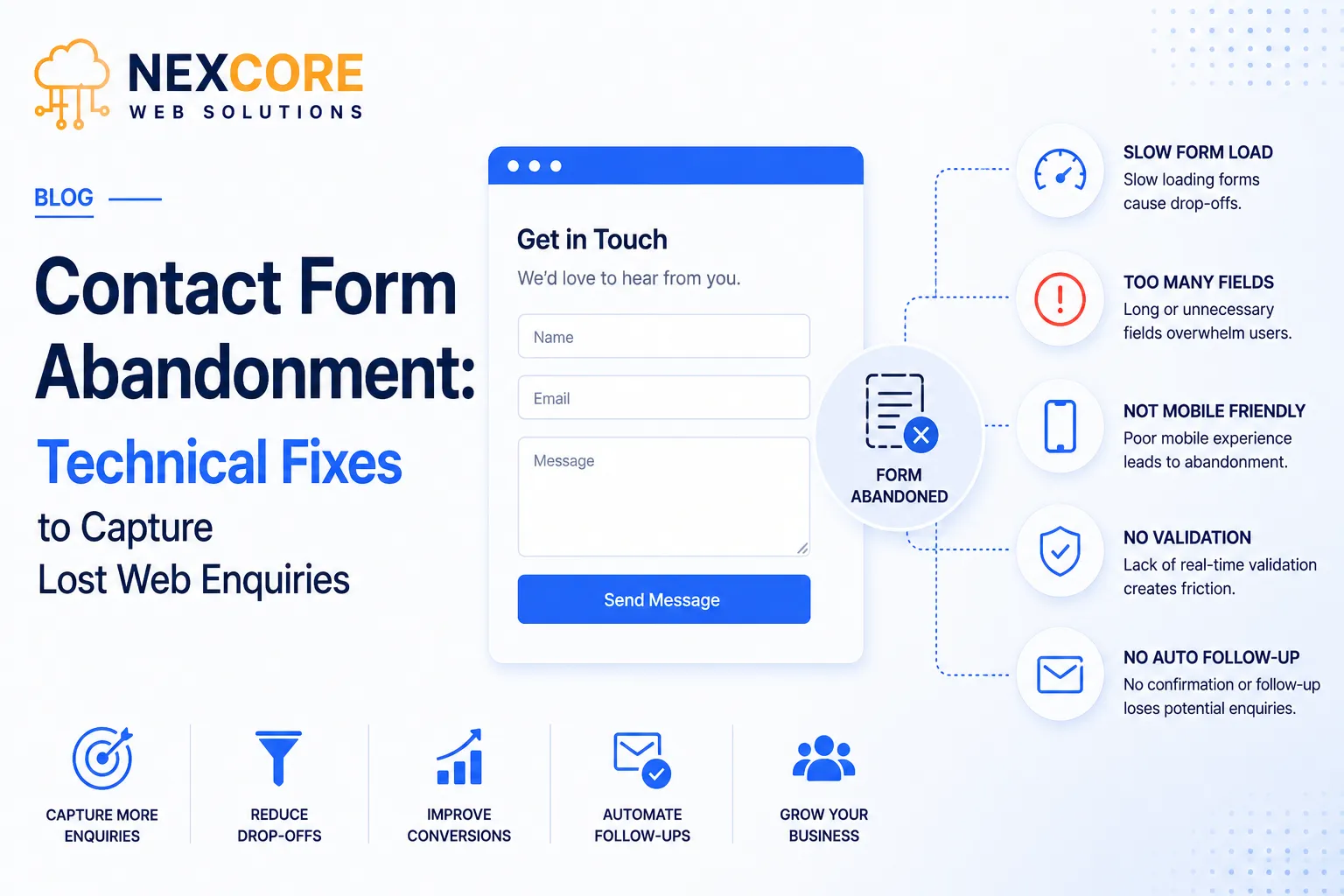
A contact form is often the final step between an interested visitor and a valuable business enquiry. Yet many companies invest heavily in attracting website traffic only to lose potential customers at the point of conversion. Visitors may begin filling out a form but abandon it because of technical issues, confusing layouts, lengthy fields, or poor mobile usability. These hidden problems quietly reduce enquiry rates and limit the return on marketing investments. If you are wondering why website is not getting enquiries, the contact form itself deserves careful attention. Identifying and fixing technical friction points can significantly improve completion rates while creating a smoother experience for prospective customers. A reliable, user-friendly contact form helps businesses capture more qualified enquiries and strengthen their overall lead generation strategy.
Why Contact Form Abandonment Happens
Visitors Lose Confidence Quickly
People expect modern websites to function smoothly without delays or confusion. When a form loads slowly, displays unclear validation errors, or appears difficult to complete, visitors often leave rather than trying again. Even highly motivated prospects may abandon an enquiry if the process feels frustrating. Every unnecessary obstacle increases the likelihood of losing potential business.
Technical Issues Often Go Unnoticed
Many companies assume their forms work correctly simply because they appear on the website. However, submission failures, plugin conflicts, browser compatibility problems, and email delivery issues frequently remain undetected until leads are lost. Conducting a regular website lead generation audit helps uncover these hidden technical barriers before they negatively affect business growth.
Simplify the Contact Form
Ask Only for Essential Information
Long forms requiring excessive personal or business details discourage visitors from completing enquiries. During the first interaction, businesses usually need only basic information such as name, email address, phone number, and enquiry details. Additional information can be collected later during follow-up conversations. Simpler forms consistently achieve higher completion rates.
Improve Field Labels
Every form field should include clear labels and straightforward instructions. Visitors should immediately understand what information is required without guessing. Descriptive placeholders, helpful examples, and logical field organization reduce confusion throughout the submission process. Better clarity creates a smoother user experience.
Eliminate Technical Errors
Test Form Functionality
A form that appears functional may still fail during submission because of server errors, plugin conflicts, spam protection settings, or email configuration problems. Businesses should regularly test every form using different devices, browsers, and network connections. Successful testing confirms that enquiries reach the intended recipients without interruption. Consistent monitoring prevents costly lead losses.
Display Helpful Error Messages
Validation errors should explain problems clearly rather than displaying generic warnings. Visitors should know exactly which field requires correction and how to resolve the issue. Friendly guidance encourages users to complete the submission instead of abandoning the form entirely. Clear communication improves completion rates while reducing frustration.
Optimize Mobile Experience
Mobile-Friendly Form Design
Many potential customers visit business websites from smartphones or tablets. Contact forms should remain fully responsive with readable text, appropriately sized input fields, and touch-friendly buttons. Mobile users should never need to zoom or scroll excessively while completing enquiries. Responsive design supports better engagement across all devices.
Reduce Typing Requirements
Typing lengthy responses on mobile devices often discourages users from completing forms. Businesses can improve usability by minimizing required fields, offering dropdown selections where appropriate, and enabling automatic input features supported by modern browsers. Simplified interaction encourages more visitors to submit enquiries successfully.
Build Trust Before Submission
Reinforce Security
Visitors are more willing to share personal information when they trust the website. HTTPS encryption, privacy statements, secure form handling, and visible trust indicators reassure users that their information will be handled responsibly. Confidence plays a significant role in successful lead generation. Security strengthens both credibility and conversion performance.
Set Expectations
Explain what happens after visitors submit the form. Inform them whether they will receive an email confirmation, expected response times, or the next steps in the enquiry process. Removing uncertainty encourages users to complete submissions because they understand exactly what to expect. Transparency improves customer confidence.
Improve Performance and Reliability
Faster Form Loading
Heavy scripts, excessive third-party integrations, and poorly optimized plugins can delay form loading. Visitors may leave before the form becomes fully interactive, particularly on slower mobile networks. Optimizing page performance ensures forms appear quickly and function smoothly. Fast loading contributes directly to improved enquiry rates.
Prevent Spam Without Frustration
Spam protection remains necessary, but aggressive CAPTCHA systems sometimes discourage legitimate users. Modern invisible spam protection methods help reduce unwanted submissions while maintaining a positive user experience. Effective security should protect the business without creating unnecessary obstacles for genuine customers.
Monitor and Optimize Continuously
Successful businesses regularly analyze form completion rates, abandonment patterns, device usage, and user behavior using website analytics. Heatmaps, session recordings, and conversion tracking reveal where visitors encounter difficulties during the submission process. Ongoing testing allows organizations to refine layouts, messaging, validation rules, and form design based on measurable evidence. Continuous optimization helps maximize lead generation over time.
Conclusion
Contact forms represent one of the most important conversion points on any business website, yet small technical problems frequently prevent interested visitors from becoming valuable enquiries. Slow loading, confusing layouts, broken submissions, poor mobile usability, and unclear validation messages all contribute to unnecessary abandonment. If you are asking why website is not getting enquiries, evaluating your contact form should be a priority. By simplifying forms, improving reliability, strengthening security, optimizing mobile usability, and continuously monitoring performance, businesses can capture more qualified leads while creating a smoother customer experience. Regular testing and ongoing optimization ensure contact forms continue supporting long-term business growth rather than silently limiting conversion opportunities.
FAQs
1. Why do visitors abandon website contact forms?
Visitors often abandon contact forms because they are too long, difficult to complete, slow to load, or display confusing validation errors. Technical issues, poor mobile usability, lack of trust, and unclear submission processes also contribute to higher abandonment rates and fewer business enquiries.
2. How can I reduce contact form abandonment?
Reducing abandonment involves simplifying the form, requesting only essential information, improving mobile responsiveness, displaying clear error messages, optimizing loading speed, and ensuring successful form submissions. Regular testing across multiple devices and browsers helps identify technical problems before they affect conversions.
3. Why should businesses test contact forms regularly?
Regular testing ensures contact forms continue working correctly after plugin updates, website changes, or server modifications. Businesses can identify broken submissions, email delivery failures, browser compatibility issues, and validation errors before these problems result in lost enquiries and reduced lead generation performance.
4. Does mobile optimization improve enquiry rates?
Yes. Mobile-friendly forms with responsive layouts, touch-friendly buttons, readable text, and simplified input fields encourage visitors to complete enquiries more easily. Since a significant percentage of website traffic comes from mobile devices, improving mobile usability directly supports stronger conversion rates.
5. What is the best way to monitor contact form performance?
Businesses should monitor contact form performance using analytics platforms, conversion tracking, heatmaps, session recordings, and regular manual testing. These tools reveal abandonment patterns, submission success rates, technical issues, and user behavior, allowing continuous optimization that improves enquiry generation over time.