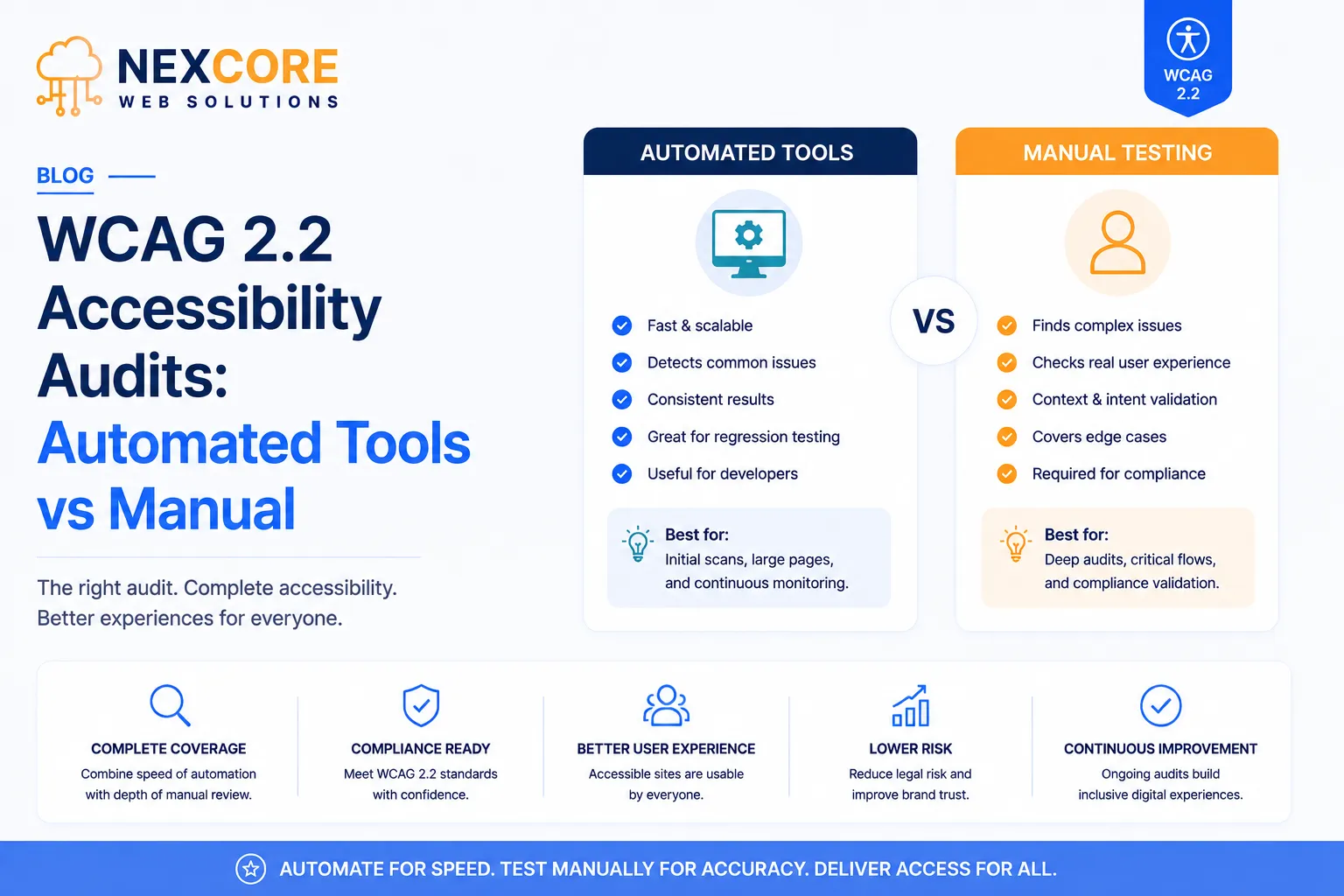
Digital accessibility is no longer an optional consideration for modern websites and web applications. Businesses, educational institutions, government organizations, and online service providers are increasingly expected to ensure that their digital platforms can be used by people with a wide range of abilities. The Web Content Accessibility Guidelines (WCAG) 2.2 introduce updated recommendations that improve usability for keyboard users, individuals with cognitive disabilities, and users relying on assistive technologies. While many organizations use automated accessibility testing tools to identify common issues, these tools alone cannot guarantee compliance or an accessible user experience. Manual accessibility audits remain equally important because they evaluate real-world usability that software cannot fully interpret. Understanding the strengths and limitations of both approaches helps organizations build inclusive digital experiences while reducing compliance risks and improving overall website quality.
Loading Page Title…
Fetching details from the page URL…
Understanding WCAG 2.2
What Is WCAG 2.2?
WCAG 2.2 is an internationally recognized set of accessibility guidelines developed to improve the usability of websites and web applications for people with disabilities. The guidelines build upon previous versions by introducing additional success criteria focused on navigation, authentication, keyboard accessibility, and user interaction. They provide a practical framework for designing digital experiences that are usable by the widest possible audience.
Why Accessibility Matters
Accessible websites benefit far more than users with permanent disabilities. Older adults, people using mobile devices, temporary injury sufferers, and users with slow internet connections often experience improved usability through accessible design. Better accessibility also supports search engine optimization, cleaner code, improved usability, and stronger customer satisfaction. Inclusive design creates measurable business value while expanding audience reach.
Automated Accessibility Testing
How Automated Tools Work
Automated accessibility testing tools scan webpages to identify technical issues such as missing alternative text, insufficient color contrast, empty form labels, invalid HTML structure, and improper heading hierarchy. These tools analyze page elements against established accessibility rules and generate reports highlighting potential violations. Automated testing significantly reduces the time required to identify common problems across large websites.
Advantages of Automation
Automated testing enables organizations to evaluate hundreds or thousands of webpages quickly without requiring extensive manual effort. Development teams can integrate accessibility scans into continuous integration pipelines, allowing issues to be detected before deployment. Regular automated testing encourages consistent quality throughout the software development lifecycle. This proactive approach improves development efficiency while reducing technical debt.
Limitations of Automated Tools
Context Cannot Always Be Evaluated
Although automated tools identify many technical problems, they cannot fully understand user intent or evaluate whether content is genuinely usable. Software cannot determine whether alternative text accurately describes an image or whether navigation remains intuitive during real interactions. Accessibility involves human experience as well as technical compliance. Context often requires manual interpretation.
False Positives and Missing Issues
Automated tools occasionally report issues that are not actual accessibility problems while failing to detect complex usability concerns. For example, keyboard navigation flow, screen reader announcements, logical reading order, and interactive component behavior often require human evaluation. Organizations relying solely on automation risk overlooking critical accessibility barriers affecting real users.
Manual Accessibility Audits
Human Evaluation
Manual accessibility testing involves experienced auditors reviewing websites using keyboard navigation, screen readers, magnification software, and other assistive technologies. Auditors evaluate navigation consistency, form usability, interactive components, content clarity, and overall user experience. This process identifies issues that automated scanners cannot recognize. Human judgment remains essential for meaningful accessibility assessment.
Real User Perspective
Accessibility extends beyond technical standards into practical usability. Manual auditors assess whether users can successfully complete important tasks such as registration, purchasing products, submitting forms, or accessing information independently. Evaluating complete user journeys provides deeper insight into accessibility than isolated technical checks alone. Practical testing reflects real-world experiences.
Combining Both Approaches
Automation as the First Step
Automated testing provides an efficient starting point for accessibility audits by identifying common coding errors early in development. Development teams can resolve many technical issues before manual review begins. Eliminating basic problems first allows accessibility specialists to focus on more complex usability challenges. This layered approach improves audit efficiency.
Manual Testing for Complete Validation
Manual testing should complement automation rather than replace it. Experienced accessibility professionals verify compliance, evaluate user interactions, and confirm that websites function effectively with assistive technologies. Combining both methods creates comprehensive audits capable of identifying technical defects alongside practical usability barriers. Balanced evaluation delivers stronger accessibility outcomes.
Best Practices for Accessibility Audits
Test Throughout Development
Accessibility should become part of the entire software development lifecycle instead of being treated as a final project phase. Regular testing during design, development, quality assurance, and deployment prevents accessibility issues from accumulating over time. Continuous evaluation reduces remediation costs while improving overall software quality.
Maintain Ongoing Compliance
Accessibility standards, browser technologies, and website functionality continue evolving after launch. Regular audits ensure websites remain compliant following content updates, feature additions, software upgrades, or design changes. Ongoing monitoring protects long-term accessibility while supporting positive user experiences. Continuous improvement strengthens digital inclusion.
Business Benefits Beyond Compliance
Organizations investing in accessibility often experience advantages extending beyond regulatory compliance. Accessible websites frequently demonstrate improved usability, higher customer satisfaction, broader audience reach, and better search engine visibility. Inclusive design also strengthens brand reputation by demonstrating commitment to equal access for all users. Accessibility should therefore be viewed as a long-term business investment rather than simply a legal obligation.
Conclusion
WCAG 2.2 accessibility audits require both automated testing and manual evaluation to deliver meaningful results. Automated tools efficiently identify technical issues across large websites while reducing development effort, but they cannot fully evaluate user experience or accessibility context. Manual audits provide the human insight necessary to verify real-world usability, screen reader compatibility, keyboard navigation, and overall accessibility compliance. Organizations that combine both approaches create more reliable digital experiences while reducing legal risks and improving customer satisfaction. As accessibility expectations continue increasing, integrating continuous testing into the software development process ensures websites remain inclusive, compliant, and capable of serving diverse audiences effectively throughout their lifecycle.
FAQs
1. What is WCAG 2.2?
WCAG 2.2 is the latest version of the Web Content Accessibility Guidelines, providing internationally recognized recommendations for making websites and web applications accessible to people with disabilities. It introduces additional success criteria focused on usability, navigation, authentication, and interaction while building upon previous accessibility standards.
2. Can automated accessibility tools guarantee WCAG compliance?
No. Automated accessibility tools identify many technical issues, but they cannot fully evaluate user experience, screen reader behavior, keyboard navigation, or contextual accessibility. Manual testing remains essential to verify complete compliance and ensure websites are genuinely usable by people relying on assistive technologies.
3. Why is manual accessibility testing important?
Manual accessibility testing evaluates how real users interact with websites using keyboards, screen readers, magnification software, and other assistive technologies. Human auditors assess usability, navigation, content clarity, and interactive elements that automated scanners cannot accurately interpret. This provides a more comprehensive accessibility evaluation.
4. How often should accessibility audits be performed?
Accessibility audits should be conducted regularly throughout the software development lifecycle and after significant website updates, redesigns, feature releases, or content changes. Continuous testing helps identify new accessibility issues early while ensuring ongoing compliance with evolving accessibility standards and user expectations.
5. What are the business benefits of accessible websites?
Accessible websites improve customer experience, expand audience reach, strengthen brand reputation, support search engine optimization, and reduce legal compliance risks. Inclusive digital experiences benefit users with disabilities while also improving usability for mobile users, older adults, and visitors with varying technology or connectivity conditions.