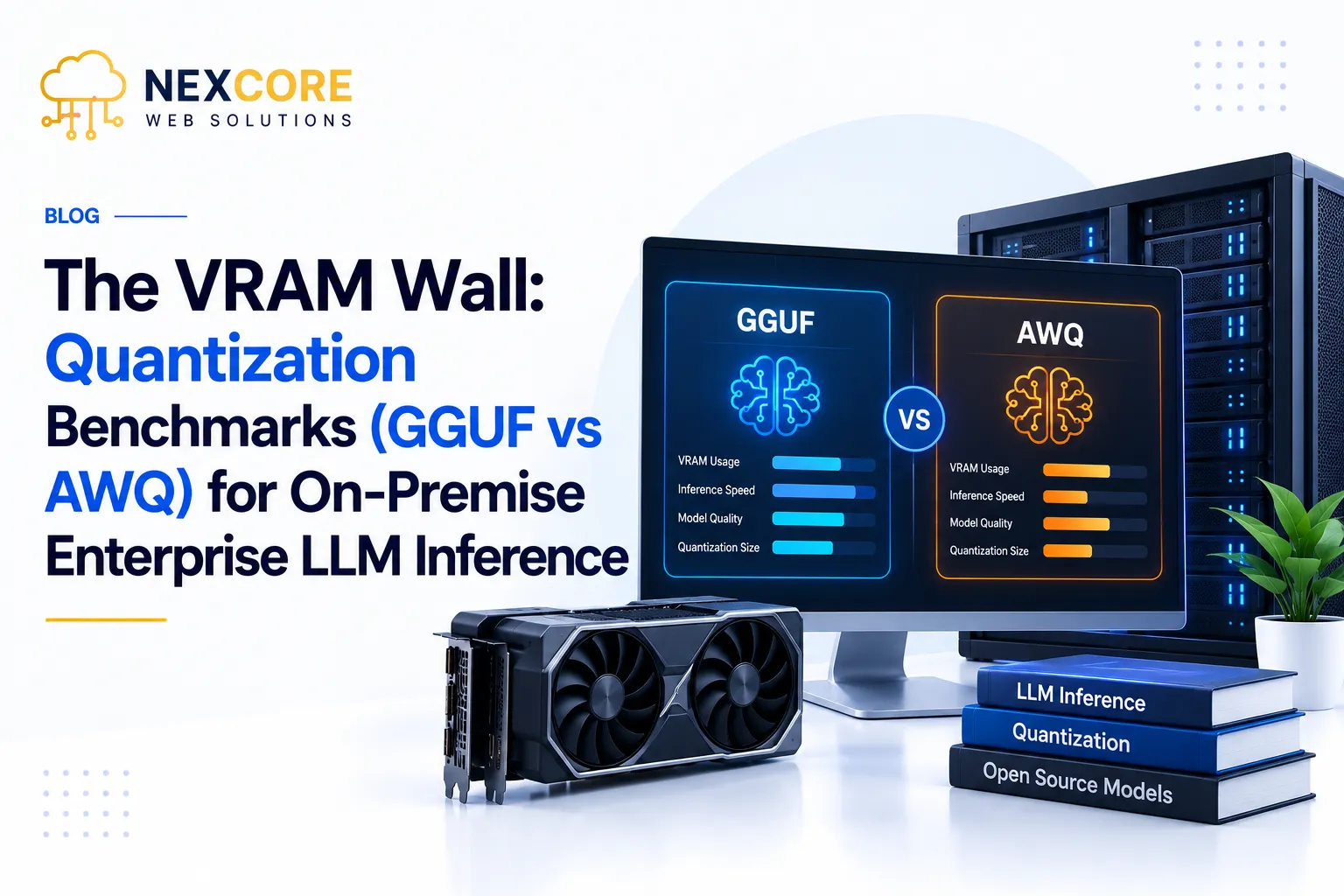
Running large language models on company-owned hardware gives enterprises greater control over data privacy, infrastructure costs, and deployment policies. However, GPU memory often becomes the main obstacle when teams move from experimentation to production. Model weights, context windows, concurrent requests, and runtime overhead all compete for limited video random-access memory (VRAM). Quantization helps reduce this pressure by representing model weights with fewer bits, allowing some models to run on smaller or less expensive hardware. Two widely used approaches are GGUF, a model file format commonly associated with llama.cpp, and AWQ, a quantization method designed to preserve important model behavior while reducing weight precision. Comparing them requires more than measuring file size. Enterprise teams must evaluate memory consumption, response speed, throughput, output quality, and operational flexibility under realistic workloads.
Understanding the VRAM Wall
The VRAM wall appears when a model and its inference workload exceed the memory available on the selected GPU. Model weights are only one part of the requirement, because the runtime also needs memory for the key-value (KV) cache, intermediate computations, and other buffers. Longer prompts and larger context windows can increase KV-cache consumption, while concurrent requests multiply the resources needed to serve users. A model that loads successfully during a demonstration may therefore fail or slow down when production traffic increases.
For example, a company may deploy a seven-billion-parameter model for internal document search. Its quantized weights might fit on a GPU, but several simultaneous requests with long document contexts could still exhaust available memory. The result may be reduced concurrency, CPU offloading, slower responses, or failed requests. Understanding these constraints before choosing a quantization format helps teams avoid expensive deployment surprises.
GGUF vs AWQ: What Is the Difference?
GGUF and llama.cpp
GGUF is a model file format designed to store model information and weights for compatible inference software. It is widely used with llama.cpp, which supports multiple quantization levels and can run models across different hardware configurations. Depending on the build and hardware, inference may use CPU resources, GPU acceleration, or a combination of both. This flexibility makes GGUF attractive for local deployments, edge systems, and environments where hardware varies between machines.
GGUF is not itself a single quantization algorithm or precision level. A GGUF model may use different quantization schemes, such as four-bit or five-bit representations, with different memory and quality trade-offs. Therefore, a benchmark comparing GGUF and AWQ must specify the exact GGUF quantization type and runtime configuration. Otherwise, the results may compare different precision levels rather than the actual deployment approaches.
AWQ and GPU-Oriented Inference
AWQ, short for Activation-aware Weight Quantization, is a method that reduces model weight precision while accounting for the relative importance of different weights to activation behavior. Its design aims to preserve useful model quality while enabling efficient low-bit inference. AWQ checkpoints are commonly used in GPU-oriented serving stacks that support the relevant model architecture and quantization format. Actual performance depends on the serving engine, GPU architecture, kernel implementation, and software versions.
AWQ may be a strong choice for dedicated GPU servers when the selected inference engine offers optimized support. However, compatibility is not universal, and a checkpoint that works in one runtime may require conversion or a different configuration elsewhere. Enterprises should verify supported architectures, batching features, and deployment requirements before standardizing on AWQ.
How to Benchmark GGUF and AWQ Fairly
A useful benchmark controls the variables that influence inference performance. Teams should use the same base model, equivalent prompt and output lengths, comparable quantization targets, and identical hardware wherever possible. Runtime versions, GPU settings, batch sizes, context limits, and sampling parameters should also be documented. Without these controls, a faster result may reflect a better optimized runtime rather than a fundamental advantage of one quantization approach.
Measure more than the time required to generate one answer. Important metrics include time to first token, output tokens per second, total request latency, throughput under concurrent requests, and peak VRAM consumption. Test short prompts alongside long-context workloads and realistic production traffic. Repeat runs under stable conditions, report averages and latency percentiles, and record any CPU offloading or out-of-memory failures.
Memory, Speed, and Output Quality
Memory Consumption
Lower-bit weights generally require less storage than higher-precision weights, but actual VRAM usage includes additional runtime allocations. Two models with similar file sizes can have different peak memory requirements because their runtimes allocate buffers differently. GGUF configurations that offload some layers to system RAM may run on hardware that cannot hold the entire model in VRAM, although data movement can reduce speed. GPU-resident AWQ deployments may offer a more predictable memory profile when the model and workload fit within the available capacity.
Inference Speed and Throughput
Neither format is automatically faster in every situation. AWQ can perform well when an inference engine uses optimized GPU kernels, while GGUF can be practical for mixed CPU-GPU execution and flexible local deployments. Performance also depends on whether the workload is limited by memory bandwidth, compute capacity, prompt processing, or token generation. Benchmark the intended hardware and serving stack rather than relying on generic speed claims.
Quality After Quantization
Quantization can change output quality, especially on tasks that depend on precise reasoning, code generation, or specialized terminology. A smaller model file does not prove that responses remain accurate enough for business use. Evaluate candidate checkpoints using representative prompts, expected answers, domain-specific test cases, and human review where necessary. Measure task accuracy and failure rates alongside speed so that memory savings do not conceal unacceptable quality losses.
Choosing the Right Approach for Enterprise Inference
GGUF is worth evaluating when a deployment needs flexible hardware support, local experimentation, CPU execution, or mixed CPU-GPU offloading. It can also simplify distribution when teams use compatible llama.cpp-based tooling across different environments. AWQ deserves attention when the organization operates dedicated GPUs and its serving engine supports optimized AWQ inference for the chosen model. In that situation, GPU-oriented execution may suit centralized internal APIs and higher-concurrency workloads.
The final decision should reflect operational requirements rather than format popularity. Consider hardware availability, model compatibility, monitoring, update procedures, security controls, and the engineering effort required to maintain the serving stack. Run a proof of concept with the actual business workload before purchasing additional GPUs. A smaller model with acceptable quality and reliable latency may deliver more value than a larger model that constantly approaches the VRAM limit.
Conclusion
The VRAM wall is not solved by choosing a file format alone. GGUF offers flexible deployment options through compatible runtimes, while AWQ provides an activation-aware quantization approach that can work well with optimized GPU inference engines. Their practical value depends on the specific model, quantization level, runtime, hardware, and workload. Enterprise teams should compare memory consumption, latency, throughput, and task quality under repeatable conditions before committing to a production architecture. Include long contexts and concurrent requests in testing, because these often reveal constraints hidden by simple demonstrations. The best choice is the one that meets business accuracy requirements while delivering stable performance within the available hardware budget.
Frequently Asked Questions
1. Is GGUF better than AWQ for local LLM inference?
Neither is universally better. GGUF is useful for flexible local execution, including compatible CPU and GPU configurations, while AWQ is often considered for GPU serving stacks with optimized low-bit kernels. The right choice depends on hardware, runtime compatibility, memory limits, and workload requirements. Benchmark both approaches using the same model and representative requests before making a production decision.
2. Does AWQ use less VRAM than GGUF?
Memory consumption depends on the model, quantization configuration, runtime allocations, and serving workload. Comparing an AWQ checkpoint with a differently quantized GGUF file may produce misleading conclusions. Include model weights, KV-cache usage, and runtime overhead when measuring peak VRAM. Use the same GPU and comparable context lengths to determine which configuration fits your actual deployment requirements.
3. Can GGUF run an LLM without a powerful GPU?
Yes. Compatible GGUF models can run through llama.cpp on CPUs, and supported configurations can combine CPU and GPU execution. Performance depends on the processor, system RAM, model size, quantization level, and context length. Smaller quantized models may work well for lightweight tasks, but CPU-only inference can be slower than optimized GPU execution, particularly when many users need responses simultaneously.
4. How should enterprises benchmark quantized LLMs?
Use the same base model, comparable quantization levels, consistent prompt and output lengths, and identical hardware where possible. Measure time to first token, generation speed, total latency, throughput, peak VRAM, and task quality. Include realistic concurrency and long-context tests, repeat runs, and document software versions. This approach provides more useful evidence than relying on a single speed measurement or model file size.
5. Does quantization reduce LLM accuracy?
Quantization can reduce model quality because weights are represented with lower numerical precision. The impact varies by model, quantization method, bit width, and task. General conversation tests may not reveal problems that appear in code generation, structured extraction, or domain-specific answers. Enterprises should evaluate representative workloads and track accuracy, hallucination rates, and task completion before approving a quantized model for production.