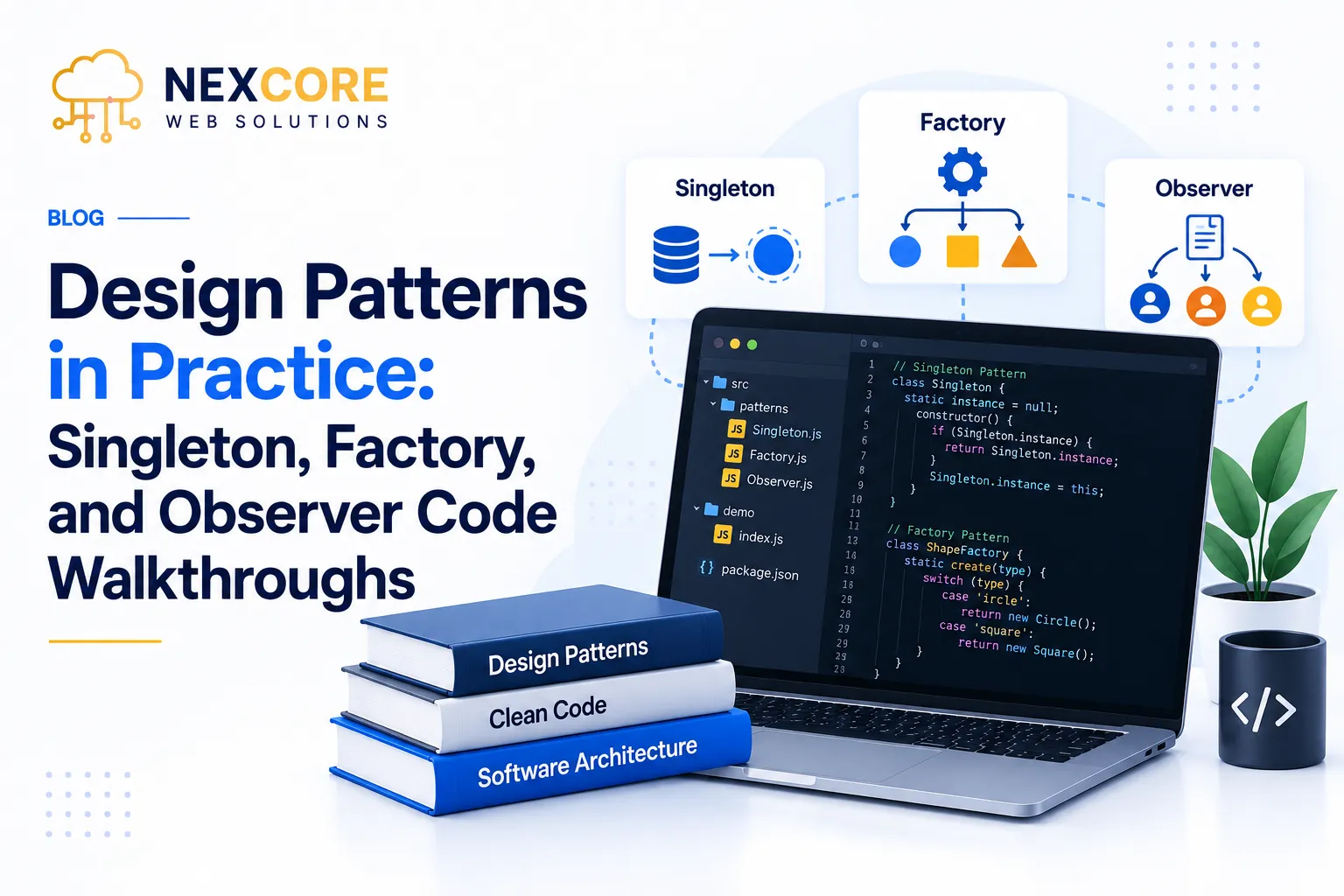
Design patterns are reusable approaches to common software design problems. They do not provide ready-made applications, but they give developers proven structures for organizing objects, controlling dependencies, and improving communication between components. Singleton, Factory, and Observer are three widely studied patterns that demonstrate different design concerns. Singleton controls access to a shared instance, Factory centralizes object creation, and Observer establishes a relationship in which multiple objects can react to changes in another object. Understanding these patterns through practical code is more useful than memorizing their definitions because developers need to recognize when a pattern actually solves a problem. Used carefully, these patterns can make code easier to extend, test, and maintain.
Understanding the Singleton Pattern
The Singleton pattern ensures that a class has only one accessible instance within a particular application context. It is commonly discussed for resources such as configuration managers, logging services, or application-wide registries. The central idea is to prevent multiple independently created objects from representing the same shared resource. However, Singleton should not be applied simply because only one object happens to be needed at the moment.
Singleton Code Walkthrough
A simple C++ implementation can use a private constructor and a static accessor:
class Logger {
private:
    Logger() {}

public:
    static Logger& getInstance() {
        static Logger instance;
        return instance;
    }

    void log(const std::string& message) {
        std::cout << message << std::endl;
    }
};
The constructor is private, so external code cannot directly create a Logger object. The getInstance() method returns the same static object whenever it is called. A developer can therefore write Logger::getInstance().log("Application started"); from different parts of the program. In modern C++, a function-local static object also provides thread-safe initialization, although the broader design still requires careful consideration when testing and managing global state.
Understanding the Factory Pattern
The Factory pattern focuses on object creation rather than object usage. Instead of requiring client code to know which concrete class should be instantiated, a factory can decide which implementation to return. This becomes useful when an application supports several related object types. For example, a notification system might create email, SMS, or push notification objects through a common interface.
Factory Code Walkthrough
Consider a simple notification hierarchy:
class Notification {
public:
    virtual void send() = 0;
    virtual ~Notification() = default;
};

class EmailNotification : public Notification {
public:
    void send() override {
        std::cout << "Sending email\n";
    }
};

class SMSNotification : public Notification {
public:
    void send() override {
        std::cout << "Sending SMS\n";
    }
};
A factory can now select the appropriate implementation:
class NotificationFactory {
public:
    static std::unique_ptr<Notification> create(const std::string& type) {
        if (type == "email")
            return std::make_unique<EmailNotification>();

        if (type == "sms")
            return std::make_unique<SMSNotification>();

        return nullptr;
    }
};
Client code only needs to request the required notification type. The creation logic remains centralized instead of being duplicated across controllers, services, or other application components. As new notification types are introduced, the factory becomes the main place where creation rules are maintained. For larger systems, more advanced factory variants can reduce conditional logic and make dependency injection easier.
Understanding the Observer Pattern
The Observer pattern is designed for one-to-many communication. One object, commonly called the subject, maintains a collection of observers and notifies them when its state changes. Observers can respond independently without requiring the subject to know the detailed implementation of every listener. This pattern appears in event systems, user interfaces, monitoring applications, and notification workflows.
Observer Code Walkthrough
A basic implementation can define a common observer interface:
class Observer {
public:
    virtual void update(int value) = 0;
    virtual ~Observer() = default;
};
The subject stores observers and sends updates when its state changes:
class Subject {
private:
    std::vector<Observer*> observers;
    int value = 0;

public:
    void addObserver(Observer* observer) {
        observers.push_back(observer);
    }

    void setValue(int newValue) {
        value = newValue;

        for (Observer* observer : observers)
            observer->update(value);
    }
};
A dashboard, logger, or notification component can implement the Observer interface and react whenever setValue() changes the subject’s state. This creates loose coupling because the subject does not need to understand how each observer processes the event. In production code, developers should also consider observer lifetime, duplicate registrations, thread safety, and safe removal of observers.
Comparing the Three Patterns
Singleton, Factory, and Observer solve different problems, so they should not be treated as interchangeable techniques. Singleton addresses controlled shared access, Factory addresses flexible object creation, and Observer addresses event-driven communication. A single application can use all three, but combining patterns should have a clear architectural reason. Developers should first identify the underlying design problem and then determine whether a pattern actually improves the structure.
Choosing the Right Pattern
Use Singleton when a genuinely shared resource needs controlled access and a single instance is part of the design requirement. Use Factory when client code should remain independent of concrete object creation details. Use Observer when multiple components need to respond to state changes without tightly coupling the sender to each receiver. If simpler dependency injection, direct construction, or ordinary function calls solve the problem clearly, those approaches may be preferable. Design patterns are tools, not mandatory structures for every class.
Common Mistakes to Avoid
A common mistake is using Singleton for convenient global access rather than for a legitimate single-instance requirement. This can introduce hidden dependencies and make unit testing more difficult. Another mistake is creating an overly complicated Factory for a small set of straightforward classes. Observer implementations can also become difficult to maintain if subscriptions are never removed or if notification chains become unpredictable. Good design balances abstraction with simplicity and keeps each pattern focused on a specific responsibility.
Conclusion
Singleton, Factory, and Observer provide practical ways to approach recurring software design challenges. Singleton demonstrates controlled instance management, Factory separates object creation from object usage, and Observer enables flexible event-based communication between components. Their value becomes clearer when developers examine the actual code and understand the trade-offs behind each structure. Before implementing any pattern, identify the problem, evaluate simpler alternatives, and consider how the design will behave as the application grows. A strong developer does not use patterns merely to make code look sophisticated. Instead, patterns should reduce unnecessary coupling, clarify responsibilities, and make future changes easier to manage.
FAQs
What is the main purpose of the Singleton pattern?
The Singleton pattern controls access to a single instance of a class within an application context. It can be useful for resources such as configuration or logging services when centralized ownership is genuinely required. However, Singleton also introduces shared state, which can make testing and dependency management harder. Developers should therefore use it when the single-instance requirement is an intentional part of the architecture.
When should the Factory pattern be used?
The Factory pattern is useful when client code should not depend directly on concrete object creation. For example, an application supporting multiple notification types can use a factory to create email, SMS, or push notification objects. This centralizes creation decisions and allows implementations to evolve without forcing every caller to understand construction details.
How does the Observer pattern work?
The Observer pattern establishes a relationship between a subject and multiple observers. When the subject’s state changes, it notifies its registered observers, which then perform their own responses. The subject does not need detailed knowledge of how each observer works. This approach is useful for event-driven systems, monitoring dashboards, user interfaces, and notification mechanisms.
Can these design patterns be used together?
Yes, different design patterns can appear in the same application because they solve different problems. For example, a system could use a Factory to create notification services, Observer to notify components about events, and another controlled-access mechanism for shared configuration. The important consideration is whether each pattern has a clear responsibility rather than adding patterns simply to make the architecture more complex.
Are design patterns always necessary in software projects?
No. Design patterns are optional design tools rather than requirements for writing good software. Applying a pattern to a simple problem can introduce unnecessary abstraction, additional classes, and maintenance overhead. Developers should first understand the problem and consider straightforward solutions. A pattern becomes valuable when it clearly improves flexibility, separation of responsibilities, communication, or maintainability.