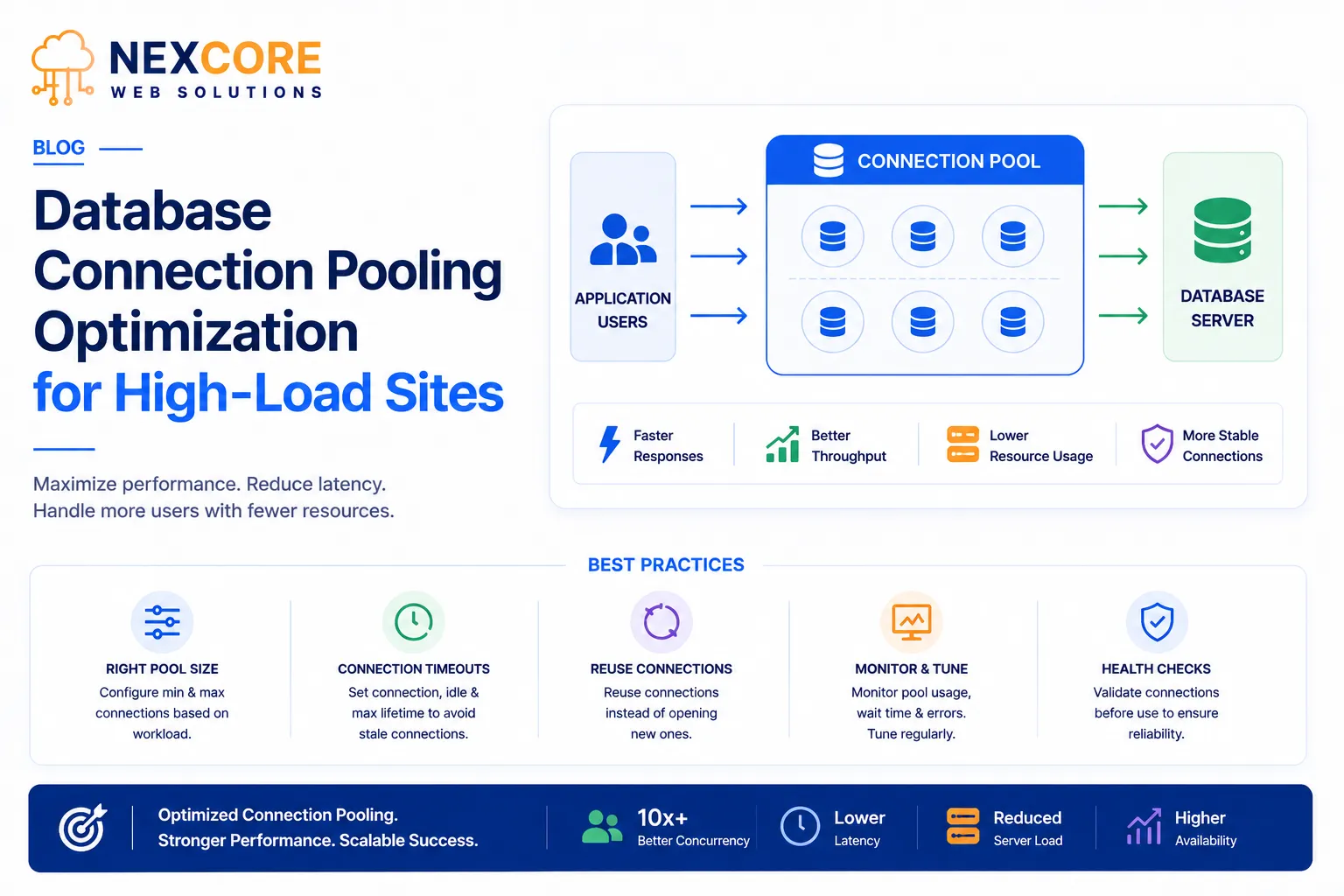
High-load websites can generate thousands of simultaneous requests, and many of those requests need access to a database. If every request creates a new database connection, the application can quickly exhaust available resources, increase latency, and trigger connection failures. Database connection pooling solves this problem by maintaining a reusable collection of open database connections that application requests can borrow and return. However, simply enabling a connection pool does not guarantee good performance. Pool size, connection lifetime, timeout settings, workload patterns, database capacity, and application architecture all influence the final result. For websites handling heavy traffic, optimizing these factors can reduce database overhead, improve response times, prevent connection exhaustion, and create a more stable foundation for sustained growth.
Understanding Database Connection Pooling
What Is a Connection Pool?
A connection pool is a managed collection of database connections that remain available for application requests. Instead of establishing a new connection for every query, an application borrows an existing connection, performs its database operations, and returns the connection to the pool. Creating fewer connections reduces authentication, network, and session initialization overhead. Reusing connections becomes especially valuable when traffic increases rapidly.
Why High-Load Sites Need Pooling
Opening database connections is relatively expensive compared with reusing established ones. On a busy website, hundreds or thousands of requests may arrive within a short period, creating unnecessary connection overhead if pooling is not used. Excessive connections can also consume database memory and CPU resources. A properly configured pool allows the application and database to handle demand more predictably.
Choosing the Right Pool Size
Avoid Oversized Pools
A common mistake is assuming that a larger pool automatically produces better performance. If an application creates more simultaneous database connections than the database can efficiently process, contention may increase instead of throughput. Large pools can consume server resources while allowing too many queries to compete for CPU, memory, locks, and storage. Pool size should therefore reflect actual workload capacity.
Avoid Undersized Pools
A pool that is too small can cause application requests to wait unnecessarily for available connections. Users may experience increased response times even when the database itself has unused processing capacity. Monitoring connection wait time helps identify this situation. The goal is to maintain enough connections for expected concurrency without overwhelming the database.
Connection Lifetime and Timeouts
Managing Idle Connections
Idle connections consume database and application resources even when they are not actively processing queries. Pool configurations should define sensible idle timeouts so unused connections can be released when demand falls. However, aggressive cleanup can cause frequent connection creation during recurring traffic spikes. Settings should reflect actual traffic patterns rather than arbitrary defaults.
Setting Connection Timeouts
Connection acquisition and database operation timeouts protect applications from waiting indefinitely when infrastructure becomes overloaded. A reasonable timeout allows temporary contention to resolve while preventing requests from accumulating indefinitely. When timeouts occur, applications should handle them gracefully and record useful diagnostic information. Poor timeout design can turn a small database slowdown into a larger application outage.
Database Capacity and Pool Coordination
Understand Database Limits
Connection pooling does not remove database capacity limits. Every database engine has practical limits related to connections, memory, CPU, disk performance, locks, and query concurrency. Application teams should understand these constraints before configuring aggressive pooling. Pool settings should be coordinated with the database’s available resources.
Multiple Application Instances
High-load applications often run across multiple servers or containers. A critical consideration is that each application instance may maintain its own connection pool. For example, ten application instances with a pool size of fifty could potentially create hundreds of database connections. Capacity planning must therefore consider the combined maximum across all instances rather than looking at one server in isolation.
Query Performance and Pool Efficiency
Slow Queries Occupy Connections
A connection remains unavailable to other requests while a query is executing. If slow queries hold connections for several seconds, even a reasonably sized pool can become saturated. Index optimization, query rewriting, pagination, and reduced data retrieval can shorten connection usage. Improving query execution often provides greater benefits than simply increasing pool size.
Avoid Unnecessary Database Calls
Applications sometimes perform multiple sequential queries when one optimized query or carefully designed transaction could accomplish the same task. Excessive database calls increase connection utilization and network overhead. Caching frequently accessed information can also reduce repeated database operations. Efficient application logic helps the connection pool serve more requests with the same resources.
Monitoring Connection Pool Health
Important Metrics
Connection pool monitoring should track active connections, idle connections, waiting requests, connection acquisition time, query duration, timeout rates, and pool exhaustion events. These metrics reveal whether problems originate from application demand, database capacity, or inefficient queries. Monitoring trends over time is more useful than examining isolated incidents. Performance baselines make unusual behavior easier to identify.
Detecting Pool Exhaustion
Pool exhaustion occurs when all available connections are busy and incoming requests must wait. If waiting requests accumulate, application latency can increase rapidly. Common causes include slow queries, long transactions, leaked connections, sudden traffic spikes, or an undersized pool. Alerts should identify exhaustion before it becomes a widespread service problem.
Connection Leaks and Transaction Management
Preventing Connection Leaks
A connection leak occurs when application code obtains a connection but fails to return it properly. Over time, leaked connections can exhaust the pool even when traffic remains stable. Applications should use reliable resource-management patterns that guarantee connections are released after operations complete. Automated testing and monitoring can help identify leaks before production workloads expose them.
Keep Transactions Short
Long-running transactions can hold connections and database locks for unnecessary periods. This reduces pool availability and may create contention with other operations. Transactions should contain only the operations that genuinely require atomic behavior. Keeping transaction boundaries efficient improves both connection utilization and overall database performance.
Scaling Beyond Traditional Pooling
For extremely high-load environments, organizations may need additional architectural controls beyond application-level pooling. Database proxies can centralize connection management, while read replicas can distribute read-heavy workloads across multiple database instances. Caching layers can remove repetitive queries from the database entirely. Queue-based processing can also move nonurgent operations away from latency-sensitive requests. These techniques complement pooling rather than replacing it.
Conclusion
Database connection pooling is an important performance mechanism for high-load websites, but effective optimization requires more than selecting a large pool size. Application concurrency, database capacity, query performance, connection lifetime, transaction design, and the number of application instances must all be considered together. Monitoring active connections, wait times, query duration, and pool exhaustion provides the evidence needed to tune configuration safely. Teams should also address slow queries, connection leaks, unnecessary database calls, and caching opportunities before increasing capacity. A balanced approach allows applications to reuse connections efficiently while preventing the database from becoming overwhelmed. When pooling is designed around real workload characteristics, it can significantly improve reliability, scalability, and response times under sustained traffic.
FAQs
1. What is database connection pooling?
Database connection pooling maintains a reusable group of database connections that application requests can borrow and return. Instead of creating a new connection for every request, applications reuse established connections, reducing connection setup overhead and improving performance. Pooling is particularly useful for high-traffic applications where frequent connection creation could consume significant database and application resources.
2. How do you choose the right connection pool size?
The correct pool size depends on application concurrency, database capacity, query duration, and the number of application instances. A pool that is too small creates unnecessary waiting, while an oversized pool can overwhelm the database. Teams should monitor connection usage and wait times, then adjust the configuration based on measured production workloads rather than arbitrary maximum values.
3. What causes database connection pool exhaustion?
Pool exhaustion can result from slow queries, long transactions, connection leaks, traffic spikes, insufficient pool capacity, or too many application instances sharing the same database. When every connection remains occupied, new requests must wait or eventually time out. Monitoring active connections, waiting requests, and query duration helps identify the underlying cause.
4. Can increasing the connection pool improve website performance?
Increasing the pool can improve performance when requests are waiting because too few connections are available and the database has unused capacity. However, increasing it beyond the database’s ability to process concurrent queries can create contention and reduce performance. Pool size should therefore be increased carefully and validated through monitoring and load testing.
5. How can database connection pooling be optimized for high traffic?
Optimization involves balancing pool size with database capacity, controlling connection lifetimes, setting sensible timeouts, preventing connection leaks, shortening transactions, and improving slow queries. Caching, read replicas, and database proxies can provide additional capacity when necessary. Continuous monitoring is essential because traffic patterns and application workloads change as a website grows.