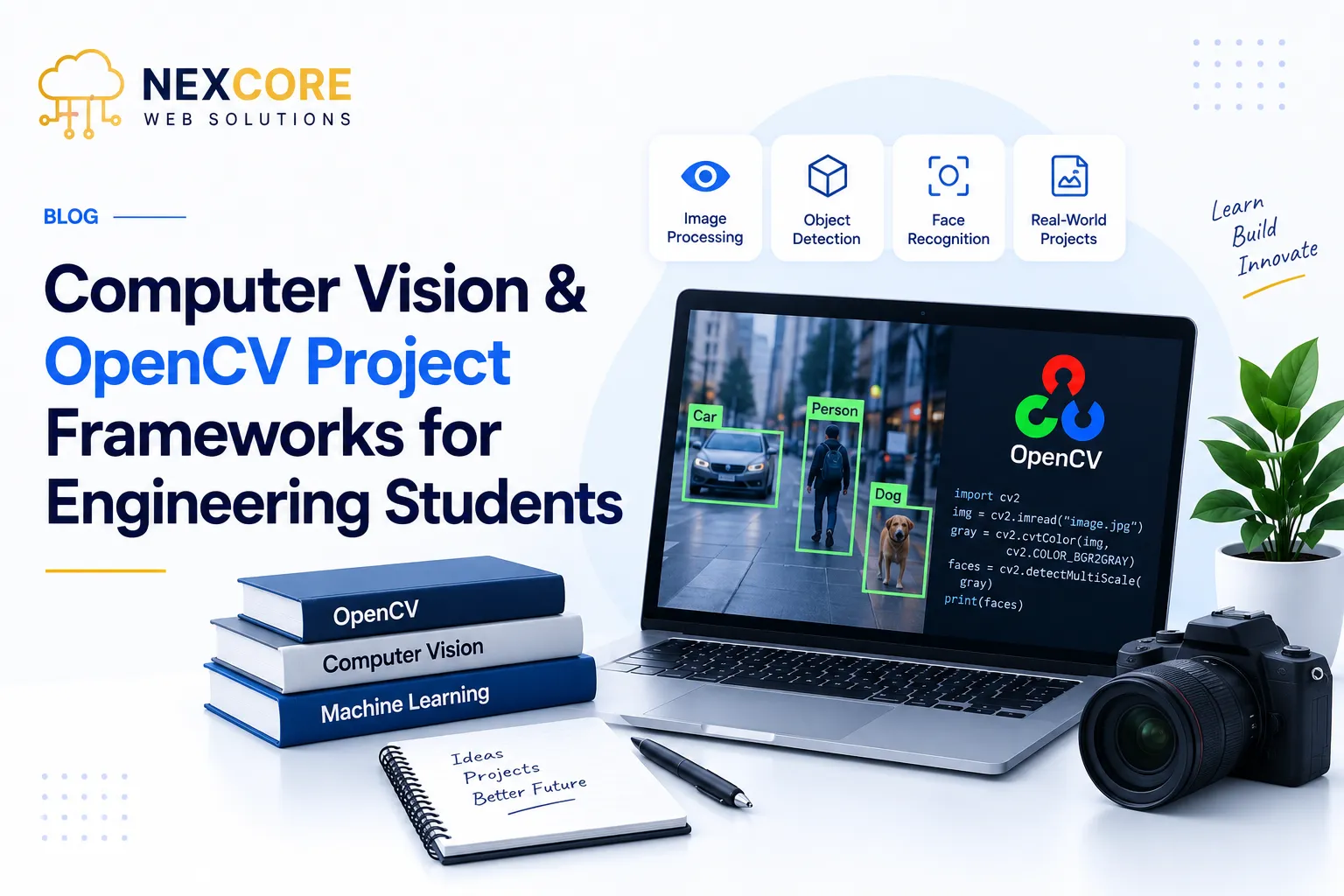
Computer vision is becoming an important skill for engineering students interested in artificial intelligence, robotics, automation, healthcare technology, and smart applications. Learning OpenCV gives students a practical way to work with images, videos, cameras, and visual data using Python or C++. However, simply completing a tutorial is not enough to create a strong academic or professional portfolio. Students need project frameworks that help them organize code, test results, explain algorithms, and build applications that solve real problems. A well-structured computer vision project can demonstrate programming ability, mathematical understanding, debugging skills, and practical innovation. Whether you are a beginner or preparing for internships, selecting the right OpenCV framework can make your project more useful, easier to maintain, and more impressive during demonstrations or interviews.
Why OpenCV Projects Matter for Engineering Students
OpenCV is widely used for image processing and computer vision tasks because it provides tools for reading images, detecting objects, tracking movement, transforming video frames, and analyzing visual patterns. Engineering students can use these capabilities to connect classroom topics with practical applications. For example, concepts from mathematics, electronics, programming, and artificial intelligence can come together in a camera-based monitoring system.
A good computer vision project also develops problem-solving skills. Students must decide how to collect data, clean images, select algorithms, handle incorrect detections, and measure accuracy. These decisions are important because real-world images often contain poor lighting, background noise, motion blur, or unexpected objects. A project that explains these challenges shows more technical maturity than an application that only works in ideal conditions.
Best OpenCV Project Frameworks to Explore
1. Image Processing and Enhancement Framework
An image processing framework is a suitable starting point for beginners. It can include modules for resizing, cropping, rotating, grayscale conversion, thresholding, sharpening, edge detection, and noise removal. These operations help students understand how digital images are represented and how changes in pixels affect the final output. A practical project could be an image enhancement tool for scanned documents, old photographs, or low-quality camera images.
Organize the project into separate modules for input handling, processing methods, and output generation. Add a simple interface that allows users to select an operation and compare the original image with the processed result. You can also measure processing time for different image sizes. This framework is useful because it focuses on core OpenCV concepts without requiring advanced machine learning knowledge.
2. Face Detection and Attendance Framework
A face detection project can demonstrate how computer vision is used in educational and workplace environments. Students can build a system that detects faces from a webcam feed and records timestamps when a person appears. OpenCV provides traditional detection methods, while more advanced versions can use face embeddings or deep learning models for identification. The project should clearly separate face detection from face recognition because they solve different problems.
For a stronger implementation, include image quality checks, duplicate-entry prevention, and a simple database or CSV record system. Test the application with different lighting conditions, camera angles, and distances. Privacy should also be discussed, especially if the system stores face images or personal information. A responsible project explains consent, data storage, and the limitations of automated identification.
3. Object Detection and Tracking Framework
Object detection and tracking projects are useful for students interested in robotics, security, traffic systems, or automation. A basic version can detect objects such as people, vehicles, or bottles in images and video. Tracking adds another layer by following an object across multiple frames. This helps students understand bounding boxes, frame processing, object identity, and real-time performance.
You can begin with color-based object tracking before moving to pretrained detection models. For example, a system could track a colored ball using HSV color space and contour detection. Later, you can integrate a deep learning model and compare its accuracy with the simpler approach. Include frame-per-second measurements and explain how image resolution affects speed.
4. Gesture Recognition Framework
Gesture recognition allows users to interact with computers through hand movements. An OpenCV project can detect hand regions, identify landmarks, and map gestures to actions such as changing slides, controlling music, or moving a cursor. Beginners can start with skin-color segmentation or contour analysis, although these methods may struggle with different lighting and backgrounds. More advanced projects can combine OpenCV with hand landmark libraries.
A strong framework should contain separate stages for camera capture, hand detection, feature extraction, gesture classification, and action control. Add a confidence threshold so uncertain gestures do not trigger unwanted commands. Test the system with different users and backgrounds to identify weaknesses. This project is valuable because it combines image processing, human-computer interaction, and real-time programming.
5. Document Scanner and Text Extraction Framework
A document scanner is a practical project that can be used for notes, receipts, forms, and printed pages. The system can detect the document boundary, correct perspective, improve contrast, and save a clean scanned image. OpenCV functions such as edge detection, contour finding, and perspective transformation are useful for this workflow. Optical character recognition can be added later to extract text from the scanned document.
Build the framework in stages so that each step can be tested independently. First detect the paper, then transform it into a flat view, and finally apply thresholding or sharpening. Include handling for missing corners, shadows, tilted pages, and incomplete document boundaries. A clear before-and-after demonstration can make this project especially effective during a college presentation.
How to Structure an OpenCV Project
Use Modular Code
Avoid placing camera capture, image processing, user-interface logic, and file saving inside one large script. Create separate folders for source code, sample images, tests, configuration files, and documentation. Use meaningful function names and keep each module focused on one task. This structure makes debugging easier and allows you to replace one algorithm without rewriting the entire application.
Add Testing and Evaluation
Computer vision systems should be evaluated using more than visual screenshots. Measure accuracy, processing speed, detection errors, false positives, and performance under different conditions when applicable. Keep a record of the dataset, camera resolution, hardware, and testing environment. Honest evaluation helps explain what your system can do and where it still needs improvement.
Prepare Clear Documentation
A professional README should explain the problem, features, technology stack, installation steps, usage instructions, and known limitations. Include sample images, workflow diagrams, and short demonstration videos when possible. Explain why you selected a particular algorithm and what alternatives you considered. Good documentation helps teachers, recruiters, and teammates understand the project without reading every line of code.
Conclusion
Computer vision and OpenCV projects give engineering students an effective way to demonstrate programming, analytical thinking, and practical application development. Image enhancement, attendance systems, object tracking, gesture recognition, and document scanning all provide useful learning opportunities at different skill levels. Start with a manageable framework, divide the work into clear modules, and improve the system through testing. Avoid focusing only on attractive results; explain accuracy, processing speed, privacy concerns, and real-world limitations. A project becomes more valuable when the developer understands every algorithm and can explain why it was selected. With organized code, reliable evaluation, and detailed GitHub documentation, an OpenCV project can become a strong addition to an engineering portfolio.
FAQs
Which programming language is best for OpenCV projects?
Python is usually the easiest language for beginners because it has simple syntax and works well with OpenCV, NumPy, and machine learning libraries. C++ is also useful when performance, embedded systems, or advanced application development is important. Students should choose Python for quick experimentation and C++ when they need deeper systems knowledge or faster processing.
Can beginners build computer vision projects using OpenCV?
Yes, beginners can start with image resizing, grayscale conversion, edge detection, color tracking, and document scanning. These projects teach important concepts without requiring advanced artificial intelligence knowledge. After understanding image processing, students can explore face detection, object detection, and gesture recognition. Starting with small projects helps build confidence and makes debugging easier.
Do OpenCV projects require a powerful computer?
Many basic OpenCV projects can run on an ordinary laptop because they use traditional image processing methods. Advanced deep learning models may require more memory, a faster processor, or a GPU for real-time performance. Students can reduce image resolution, process fewer frames, or use lightweight models when hardware is limited. The project should document its system requirements clearly.
How can I improve the accuracy of an OpenCV project?
Accuracy can improve through better lighting, cleaner input images, suitable preprocessing, stronger algorithms, and more representative testing data. Students should examine false positives and false negatives instead of changing settings randomly. Using different camera angles, backgrounds, and users can reveal weaknesses. When necessary, combine OpenCV with machine learning models and compare results objectively.
Should an OpenCV project be uploaded to GitHub?
Uploading an OpenCV project to GitHub is useful because it allows others to review the code, documentation, sample outputs, and installation process. Include a clear README, organized folders, requirements, screenshots, and known limitations. Do not upload private images, passwords, or sensitive personal data. A public repository should demonstrate both technical work and responsible project management.